Add us as a Meta partner
An admin of your Meta business portfolio gives Parallel Distribution access from Business settings. It takes six steps. If you would rather log in with Facebook and tick the accounts to share, use the faster way.
Open your business settings
Select the portfolio that owns your advertising assets. In Settings, open Users, then Partners.
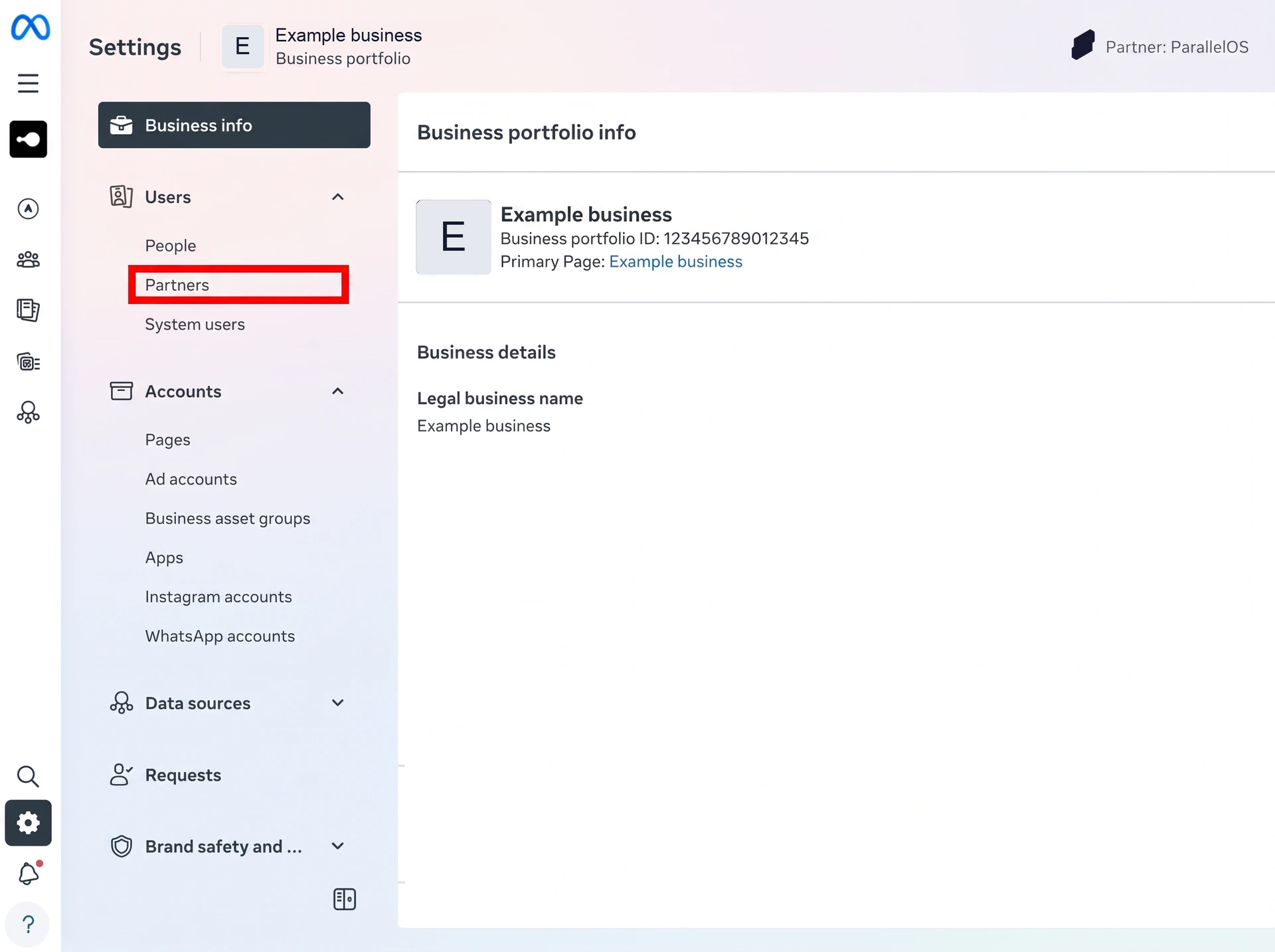
Find Partners in your business settings. Add a partner
Choose Add, then Give a partner access to your assets.
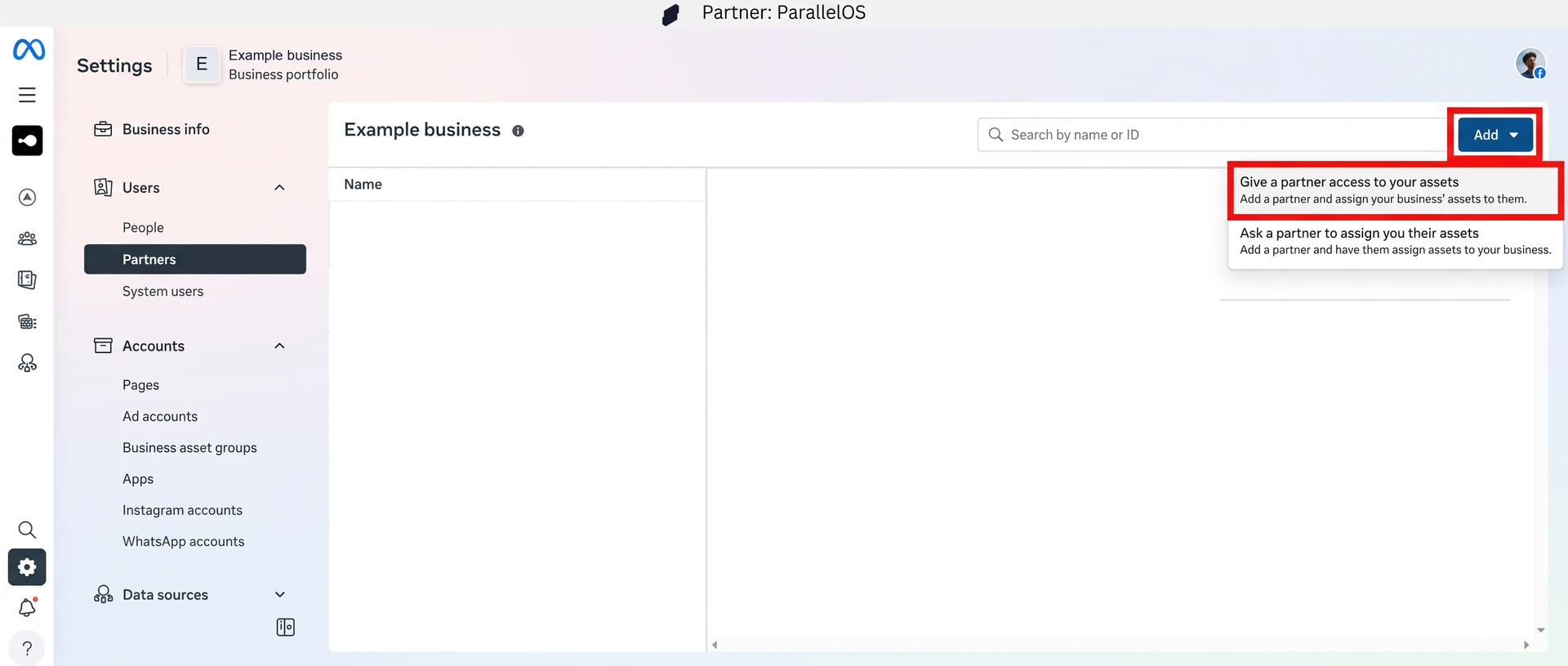
Choose the option to share your assets with a partner. Enter our business ID
Paste the ID from the top of this page, then choose Next to open Assign assets and permissions. Meta may not show the partner's name in this window. You can confirm it under Partners after you assign access.
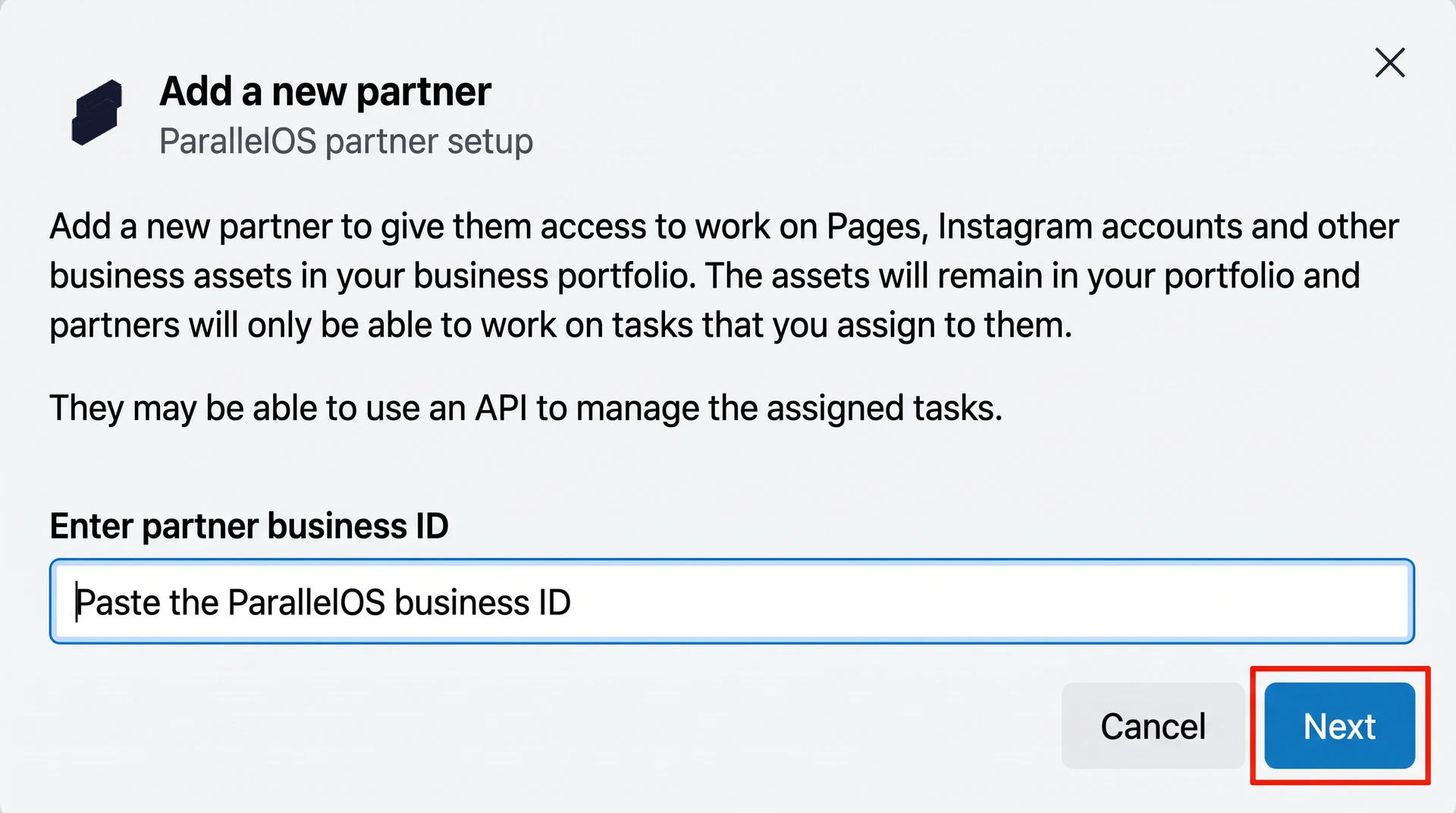
Use the business ID on this page, not an example ID from a picture. Select your Pages and Instagram accounts
For each Page we will work with, turn on Insights for reporting and Ads for campaign work. Add Content only if we will publish posts for you. Under Instagram accounts, select each account and turn on the same tasks.
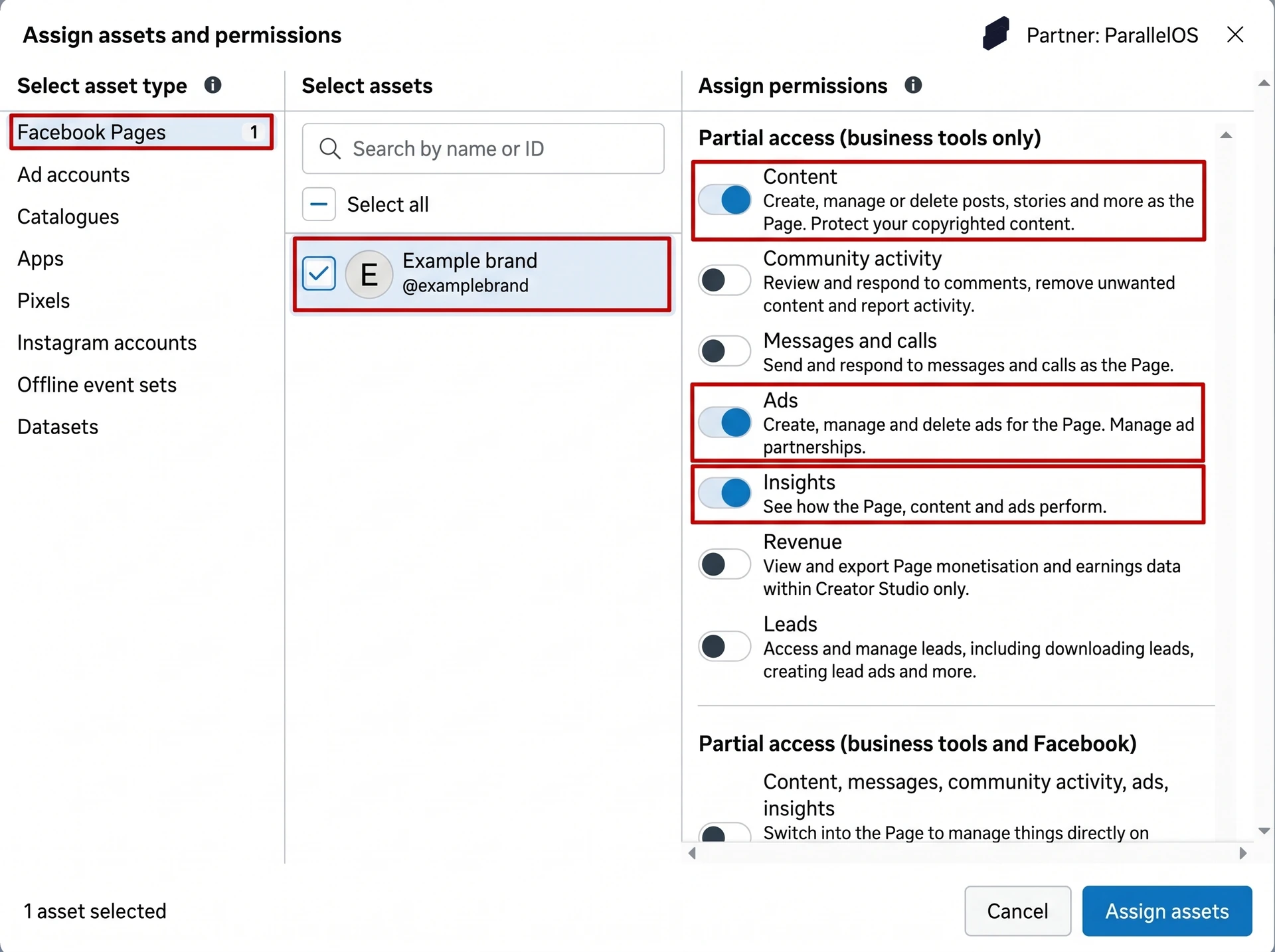
The picture shows publishing and advertising access. Choose your ad accounts
Select the ad accounts we will work in. Use View performance for reporting, or Manage campaigns when we will run campaigns. Review what you selected, then choose Assign assets. Complete any check Meta asks for and confirm that the assignment succeeded.
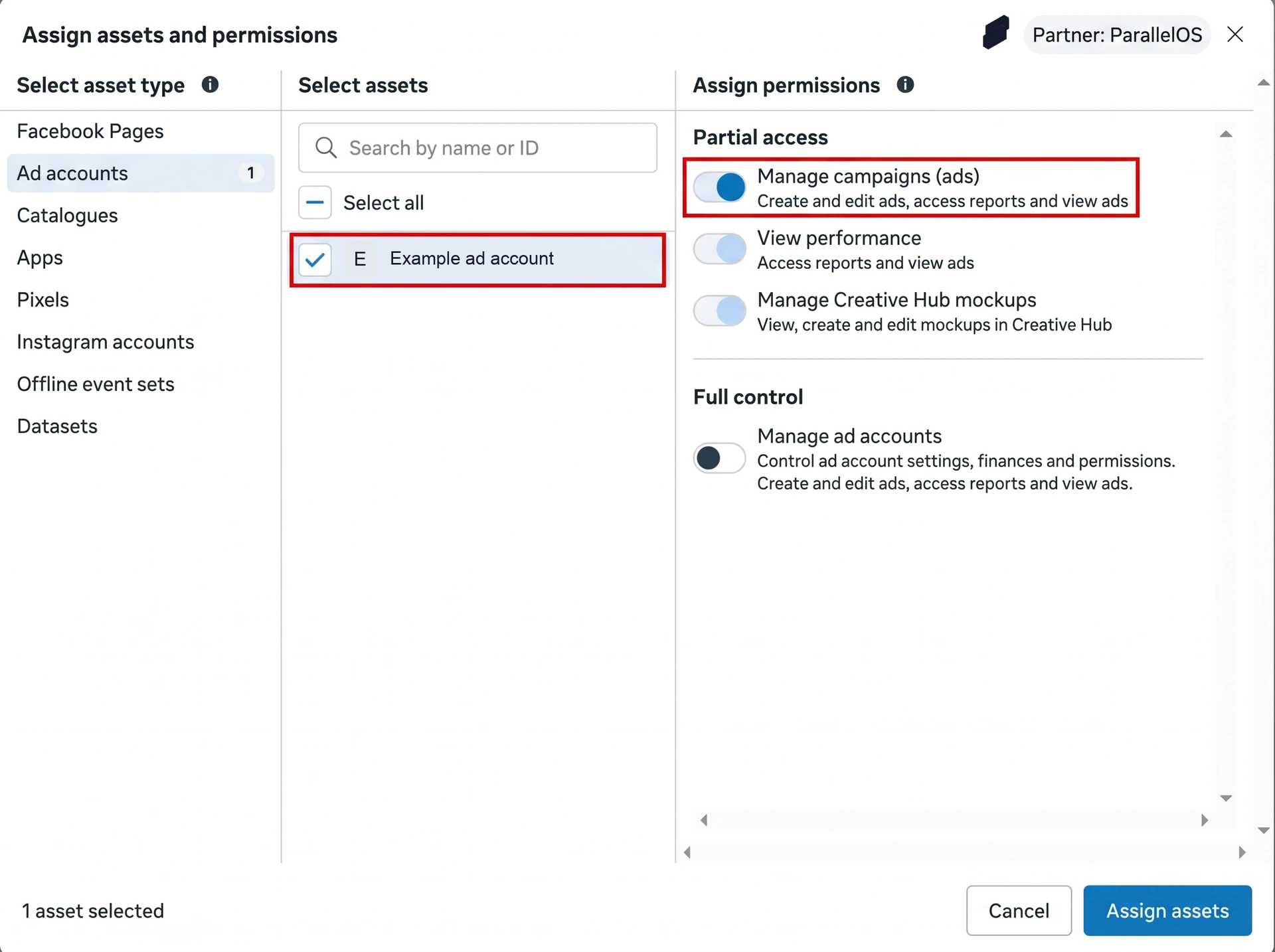
This example shows campaign management. Reporting alone needs less access. Send us your ad account IDs
Open Ads Manager and copy the IDs from the account selector. Send them to your Parallel contact, so we can confirm the access arrived.
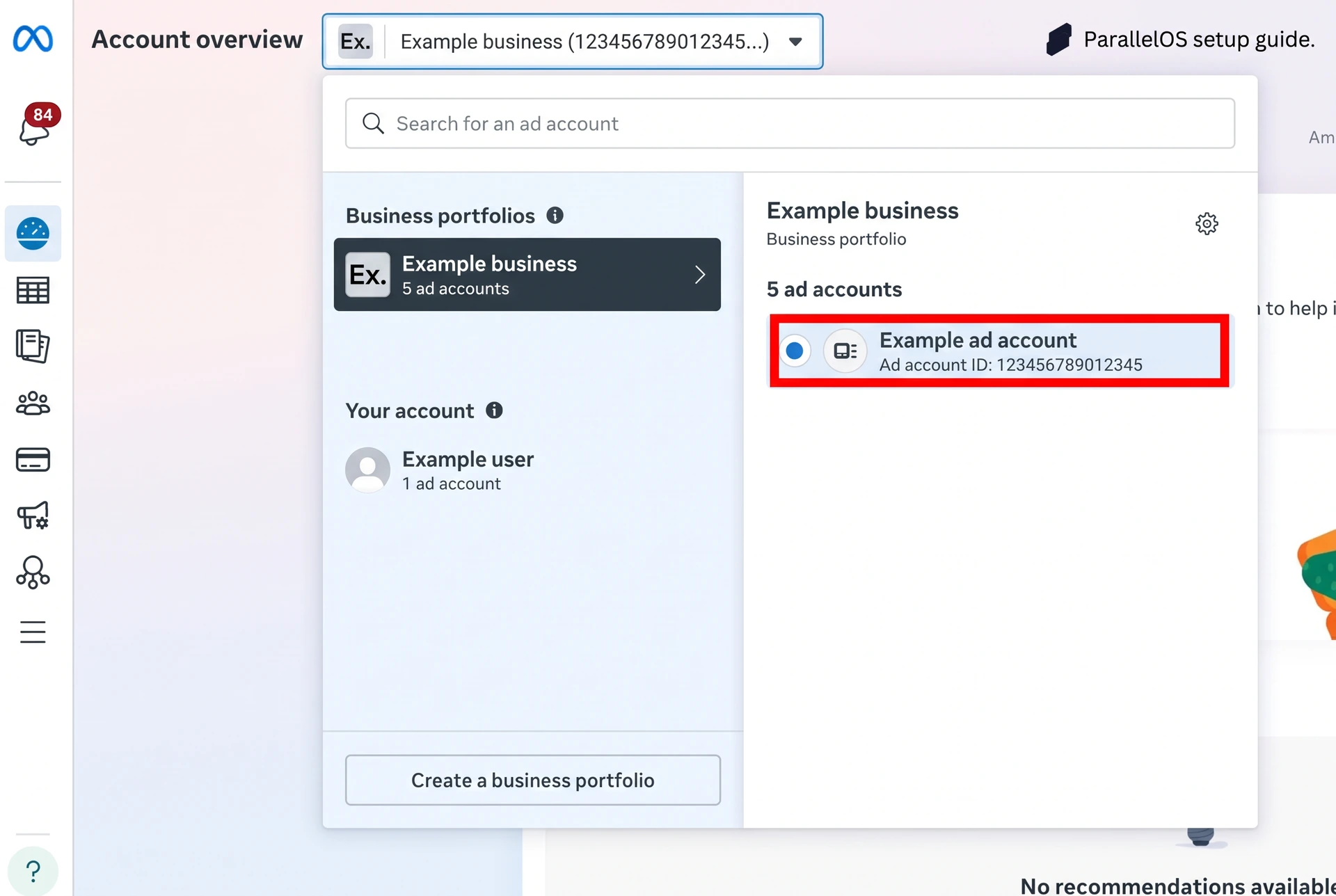
The ad account ID tells us which account to connect.
Done? Send us your ad account IDs.
Email mj@paralleldistribution.com© 2026 Parallel Distribution, Inc. · 64 West Third Street, Room 208, New York, NY 10012PrivacyTermsData deletion